How to Map Your Creative Vision Before You Cut into Fabric
Have you ever fallen in love with a quilt pattern, bought a mountain of gorgeous fabric, and then halfway through piecing realized the finished quilt wasn’t feeling quite right? Maybe the colors clashed, the scale of the prints felt overwhelming, or the vibe just didn’t match what you envisioned in your head.
We’ve all been there! Quilting is a major investment of time, love, and money, which is why taking a step back to build a mood board before you buy a single yard of fabric or purchase that pattern can completely transform your creative process.
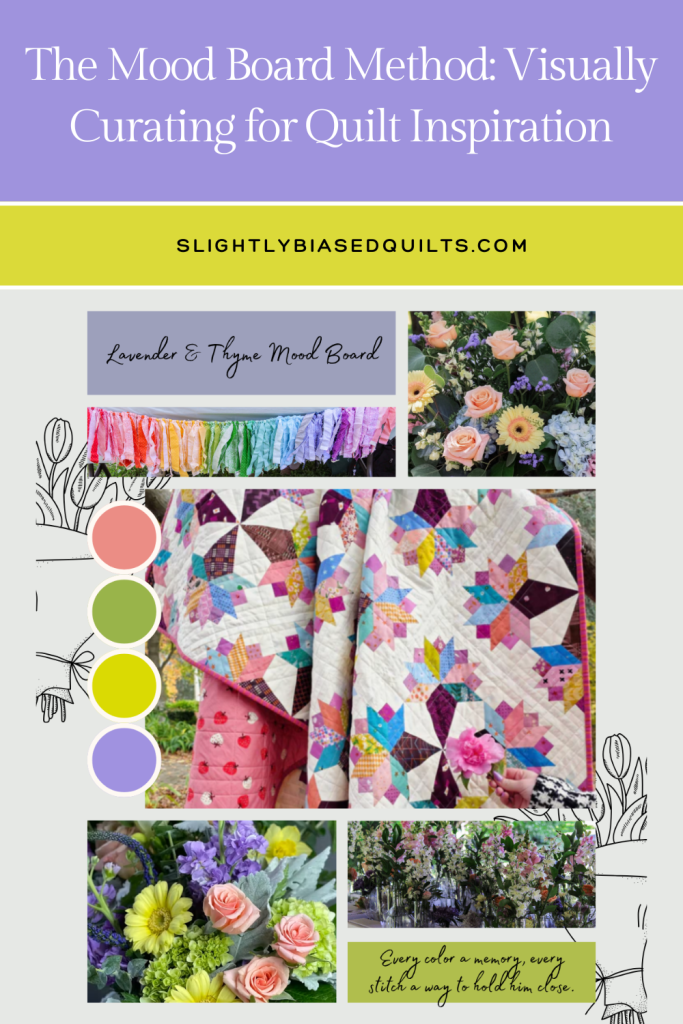
A quilt mood board is your visual compass. It helps you explore color palettes, capture seasonal feelings, test out motifs, and refine the story you want your quilt to tell. Today, we’re diving into how to gather your ideas and build a mood board—whether you love tactile real-life boards or sleek, digital designs!
Gathering Inspiration (The Discovery Phase)
Before deciding on real-life vs. digital, give yourself permission to play without boundaries. You aren’t choosing specific fabrics or quilt blocks yet—you’re gathering feelings, textures, and concepts.
- Nature & Surroundings: Take a walk with your phone or camera. Look at the way late summer shadows fall across golden fields, the texture of moss on bark, or the color combinations in a garden bloom.
- Art, Architecture, & Interiors: Browse home decor magazines, vintage tiles, ceramics, or gallery art. Notice what geometric shapes or color balances catch your eye.
- Fabrics, Yarns, & Fibers: Pull out ribbon scraps, embroidery floss, swatch cards, or favorite cozy sweaters.
- Motifs & Key Themes: Are you leaning toward mid-century modern lines, soft romantic florals, bold graphic starbursts, or relaxed heirloom neutrals? Collect images or objects that embody those motifs.
Making a Tactile, Real-Life Mood Board
If you are a hands-on, sensory creator who loves touch and texture, a physical mood board right in your sewing room will bring endless joy.
What You Need:
- A corkboard, foam core board, or magnetic board.
- Pins, tape, clip pins, or push pins.
- Swatch cards, thread spools, ribbon samples, dried flowers, paint chips, and magazine cutouts.
How to Build It:
- Start with an Anchor Piece: Place one item in the center that defines the main vibe—maybe a beautiful paint chip, a snippet of vintage linen, or a photo of a place you love.
- Layer Colors and Textures: Pin up paint swatches from the hardware store to pin down your palette. Add thread spools to see how light reflects off different fiber types.
- Include Motifs: Tuck in photos of tile patterns, dried botanicals, or architectural details that inspire the geometric shapes or piecing style you want to explore.
- Step Back & Edit: Leave your board up near your sewing space for a day or two. Walk past it, look at it in different morning and evening lights, and swap out anything that feels like an “odd man out.”
Tip for Physical Boards: Physical boards let you drape real fabric swatches to see how light interacts with weave and texture!
Designing a Digital Mood Board Using Canva
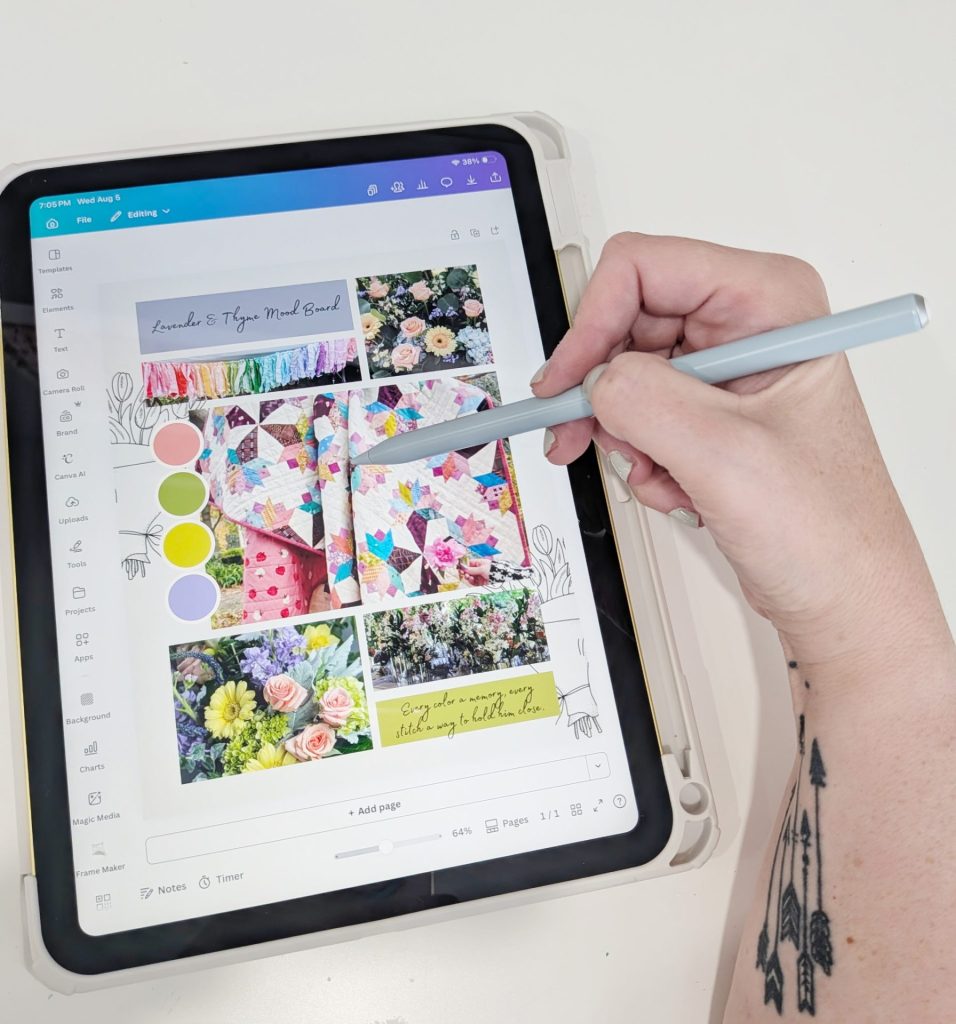
If you love keeping your ideas organized on the go, building a digital mood board in Canva is fast, flexible, and endlessly fun. Canva is a free design tool with thousands of layout options that make organizing inspiration effortless.
How to Build It in Canva:
- Create Your Canvas: Open Canva and search for “Mood Board Collage” or start with a blank custom document (like a square or standard letter size).
- Collect Your Images:
- Pin images to Pinterest boards and upload your favorites to Canva.
- Search Canva’s built-in photo library for textures (e.g., “linen texture,” “watercolor wash,” “sunflower field”).
- Take photos of your own thread reels, favorite art, or home accents and upload them.
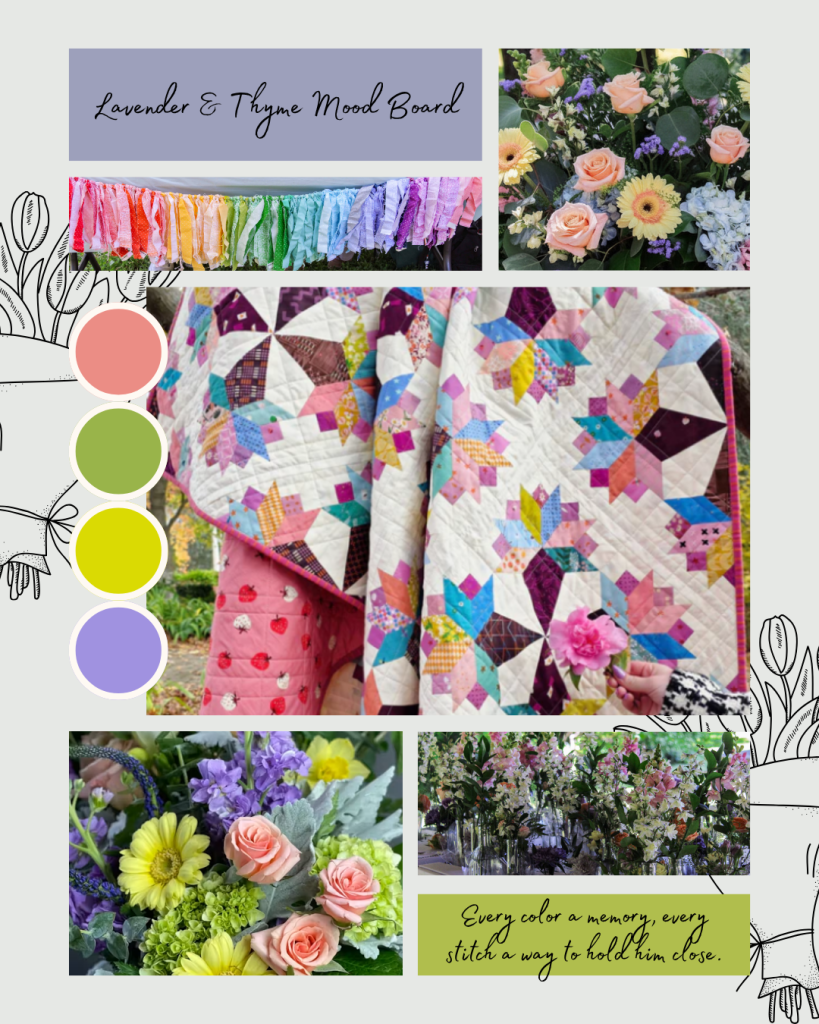
- Build Your Color Palette: Use Canva’s color picker tool to sample colors directly from your inspiration photos. Create small circle or rectangle elements at the bottom of your board to lock in your main, accent, and background shades.
- Arrange & Layer Motifs: Drop photos into frames or grid layouts. Overlay text with words that define the quilt’s mood (e.g., Cozy, Nostalgic, Graphic, Crisp).
- Take It Fabric Shopping: Save the completed design to your phone! When you visit your local quilt shop or browse online stores, you can pull up your Canva board to instantly check if a fabric pull matches your original vision.
Why This Step Changes Everything
When you take the time to build a mood board—whether pinned to cork or curated in Canva—you gain clarity before spending a cent:
- No More Fabric Regret: You’ll know immediately if a palette feels too busy, too dark, or lacks contrast.
- Seamless Pattern Selection: Your board will guide you toward the right pattern. A board full of organic, soft watercolor shapes might call for curved piecing or applique, while a crisp, high-contrast board points toward bold geometric block work.
- A Confident Fabric Pull: Instead of feeling overwhelmed in the fabric aisle, you have a clear roadmap for your focal prints, blenders, and background fabrics.
Before you start your next quilting adventure, give yourself an hour to build a mood board. Honor the creative phase of dreaming, gathering, and curating—your future self (and your finished quilt!) will thank you for it!
Over to You: Are you Team Physical Corkboard or Team Digital Canva Board? Drop a comment below and share what mood or theme is inspiring your next quilt pull!